 ospitessa

 Español
 Italiano
 Deutsch
 Français
 Português
 Ελληνικά
 Hrvatski
 Polski
 Nederlands
 Čeština
 Slovenčina
 Magyar
 Slovenščina
 Shqip
 Български
 Türkçe
 Română ↗ Ospitara
 Austria
 Switzerland
 Belgium
 Ireland
 Malta
 Cyprus
 Montenegro
 Mexico
 Costa Rica
 Dominican Republic
 Panama
 Colombia
 Peru
 Ecuador
 Argentina
 Uruguay
POS for the hotel restaurant and bar
All dining rooms and tables on one screen, with open bills in red. The waiter signs in with a personal code, sends the order to the kitchen or bar and closes the bill the way the guest wants: cash, card, split or charged to the room.
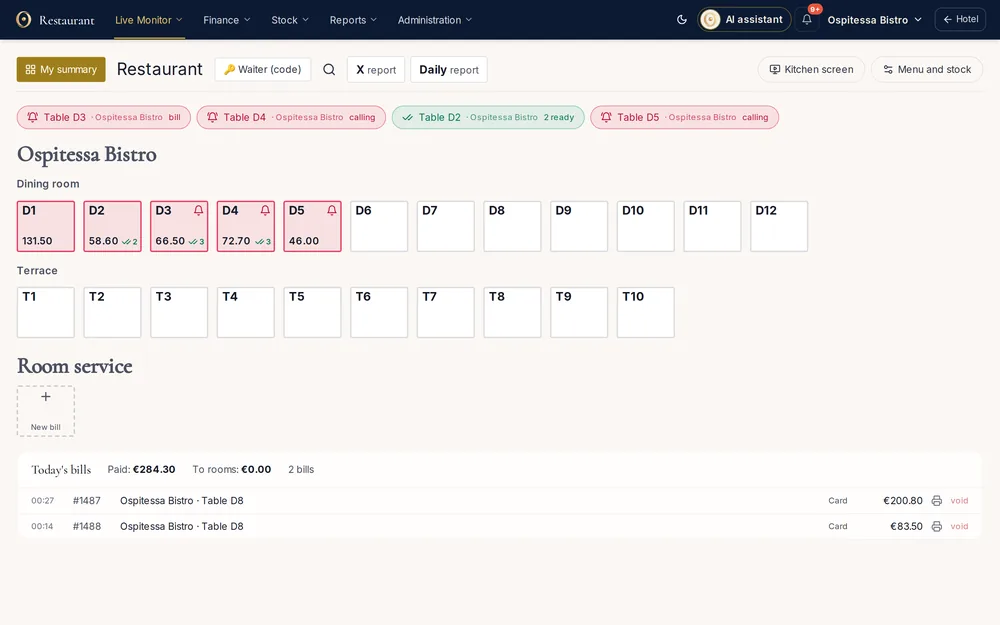
Orders in the order they go out
Courses can be held and sent at the right moment. Preset notes such as "no onion" or "sauce on the side" reach the kitchen screen. Items can be moved between tables, and the move stays in the report.
Payment the way the guest asks
Cash, card or both on the same bill, discounts, tips, delivery, or a bottle deposit where your country has one. The bill can be charged to a staying guest's room, to an account, as complimentary or as included breakfast.
The day closes at the restaurant
Each waiter sees their own summary: payments by type, bills and items. In the evening, the end-of-day closing checks for tables still open and saves the report.
Questions about restaurant and bar POS
Can the restaurant be a separate company from the hotel?
Yes. Invoices from the POS can be issued under the restaurant's company and number series, and room invoices under the hotel's company.
Can waiters work on a tablet or phone?
Yes. The POS runs in the browser, on a tablet, phone or computer. Fiscal printers connect through a local bridge app where your country requires them.
Related features
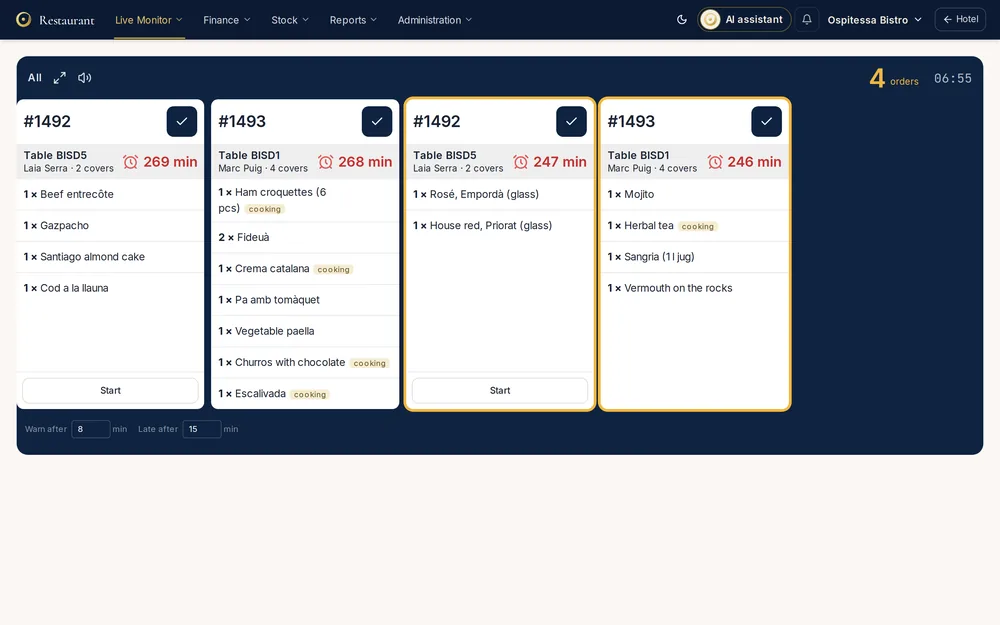 Restaurant, bar & spaKitchen displayOrders reach the kitchen screen in the order they were placed, with the waiting time in plain view.See the feature
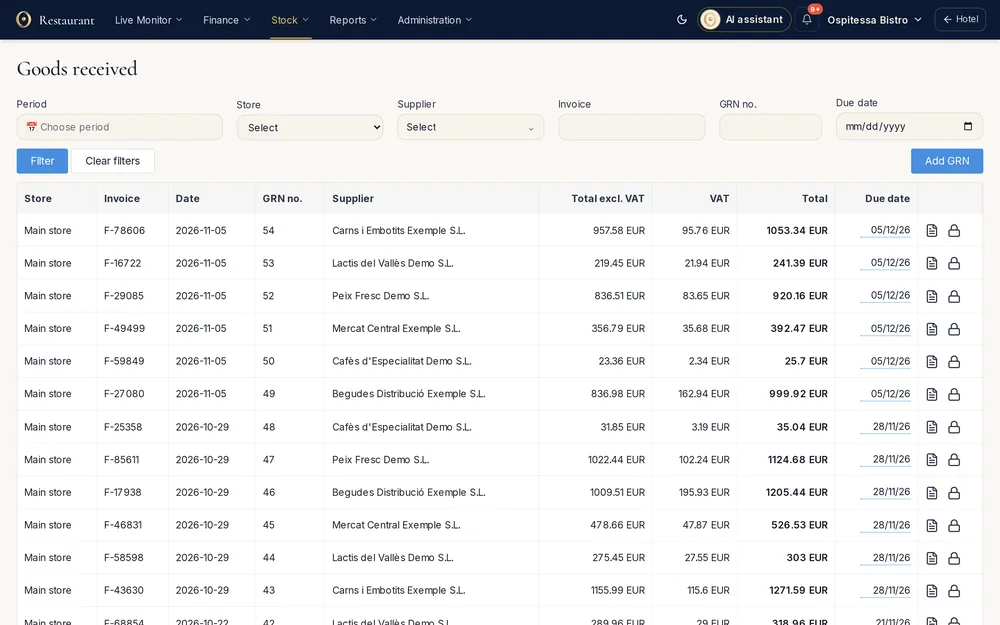 Restaurant, bar & spaInventory and stockStock per outlet, goods received notes from supplier XML invoices, transfers, internal use, stock counts, stock balance, a daily stock report and SAF-T export.See the feature
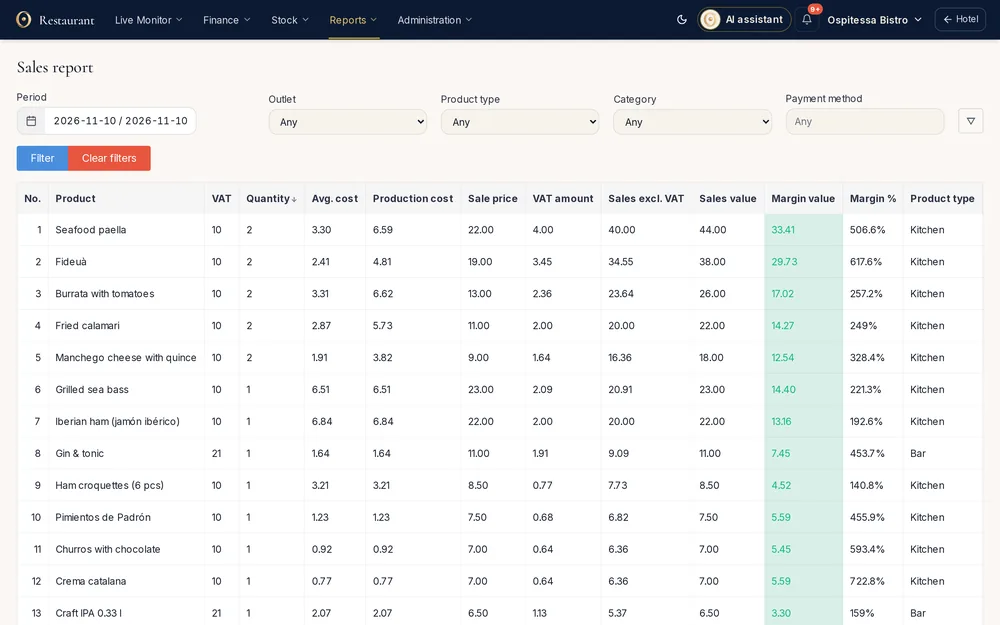 Restaurant, bar & spaRestaurant reportsSales per item with margin, takings by outlet and VAT rate, discounts, returns and voided bills, breakfast, open tables, tips, deliveries and day closings.See the feature
 Restaurant, bar & spaQR code menuA menu on the guest's phone with photos, allergens and translations, opened from the QR code on the table.See the feature

See Ospitessa on your own rooms.
In a 30-minute demo we show you the calendar, the channel manager and the AI receptionist set up for your property.