 ospitessa

 Español
 Italiano
 Deutsch
 Français
 Português
 Ελληνικά
 Hrvatski
 Polski
 Nederlands
 Čeština
 Slovenčina
 Magyar
 Slovenščina
 Shqip
 Български
 Türkçe
 Română ↗ Ospitara
 Austria
 Switzerland
 Belgium
 Ireland
 Malta
 Cyprus
 Montenegro
 Mexico
 Costa Rica
 Dominican Republic
 Panama
 Colombia
 Peru
 Ecuador
 Argentina
 Uruguay
E-invoicing and exports for your accountant
Your accountant no longer waits for a folder at the end of the month. Invoices and payments can go to the invoicing tool on their own, and the export files are ready whenever they are needed.
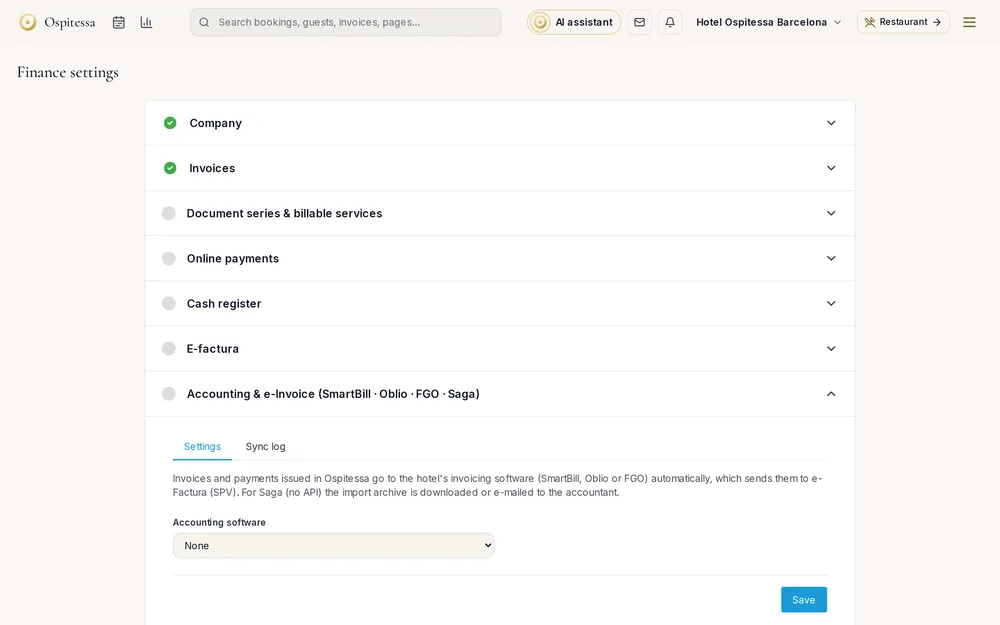
Structured e-invoices
Each invoice has its own structured XML file, with its status visible in the list. National e-invoicing networks (for example SDI in Italy, KSeF in Poland, Verifactu in Spain, Fiskalizacija in Croatia, myDATA in Greece) are being added country by country. See country by country for what is available where you are.
Invoices from suppliers
Upload a supplier's XML e-invoice and Ospitessa reads it. You confirm payment, mark it as booked, or turn it into a stock receipt for the restaurant's inventory.
Exports ready to import
Excel or CSV with account codes on every line, a PDF archive, the XML invoices for a period and SAF-T where your country uses it. Your accountant chooses the columns.
Invoicing tools, without retyping
Connect Ospitessa to your invoicing tool with an API key, test the connection and match the number series. Every 15 minutes invoices, credit notes and, if you want, payments are sent across with the same number. Each document shows its status in a log: sent, pending or error, with a button to resend.
SmartBill and FGO connections work today. Oblio and other local invoicing tools are added on request. Before you switch it on, you can preview exactly what would be sent, without sending anything.
Tools without an API
If your accountant's software has no API, the import file can be downloaded from the accounting export page or sent to them automatically by email, weekly or monthly.
Questions about e-invoicing and accounting export
Are invoices sent to the tax authority automatically?
Only where the national e-invoicing network for your country is already connected. It is being added country by country, and until then you have the XML files ready to upload. Check country by country.
Does the export work with my accountant's software?
The Excel and CSV export lets your accountant choose the columns and account codes, so most accounting software can import it. XML invoices are also available.
Can the same invoice be sent twice?
Not if you choose one sender. Ospitessa asks you to confirm that automatic sending is switched off in your invoicing tool whenever Ospitessa does the sending.
Do fiscal receipts without an invoice go to the invoicing tool?
No. They are reported by the fiscal printer or fiscal service. Refunds and payments without an invoice are entered by hand.
Related features
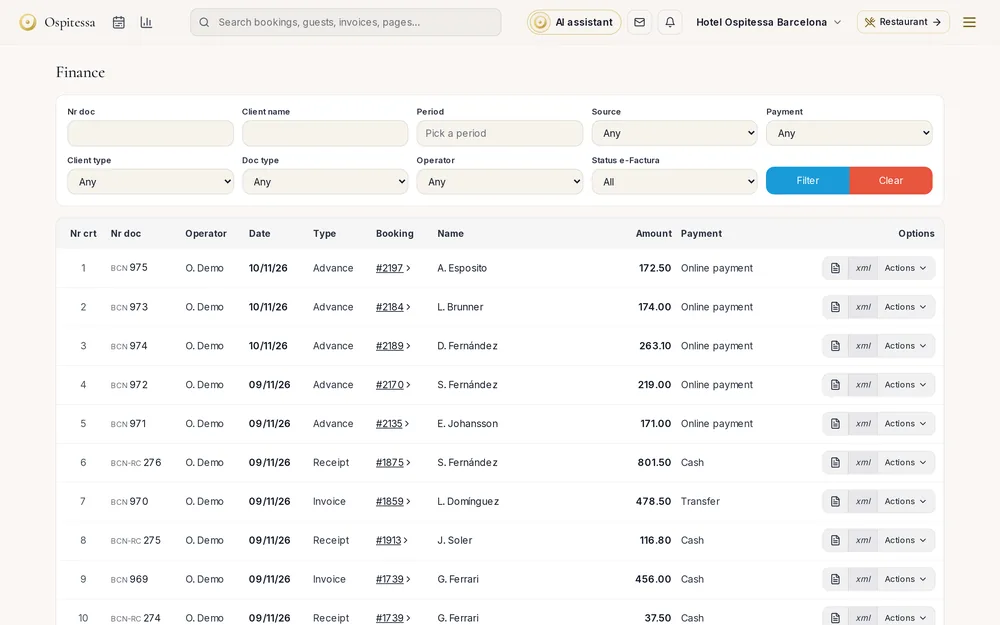 Invoicing & paymentsInvoicing and paymentsInvoices, pro formas, deposit invoices and credit notes from the booking, company accounts, payments, cash book, city tax lists and fiscal printers.See the feature
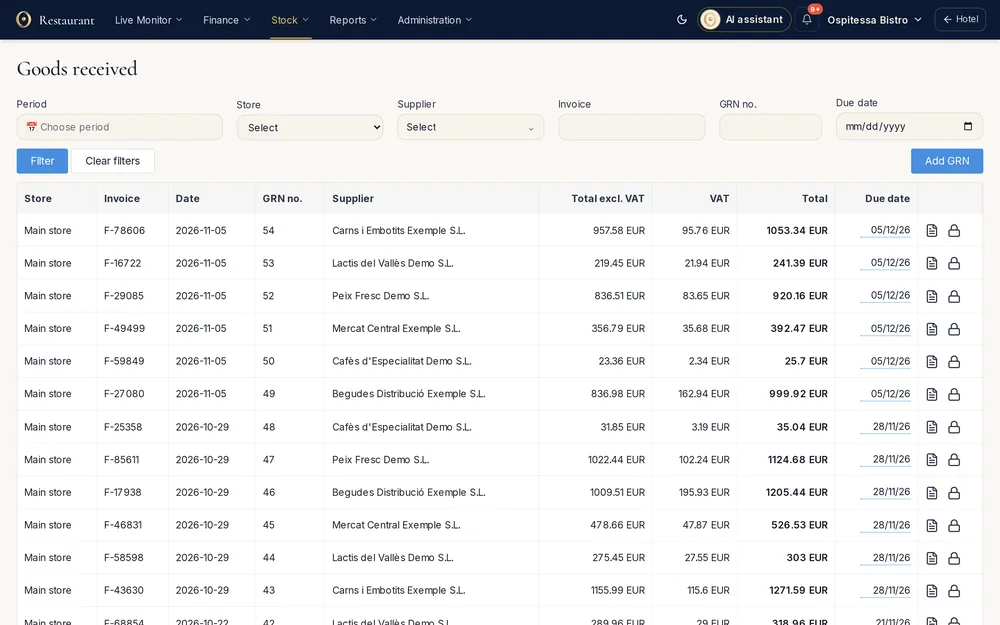 Restaurant, bar & spaInventory and stockStock per outlet, goods received notes from supplier XML invoices, transfers, internal use, stock counts, stock balance, a daily stock report and SAF-T export.See the feature
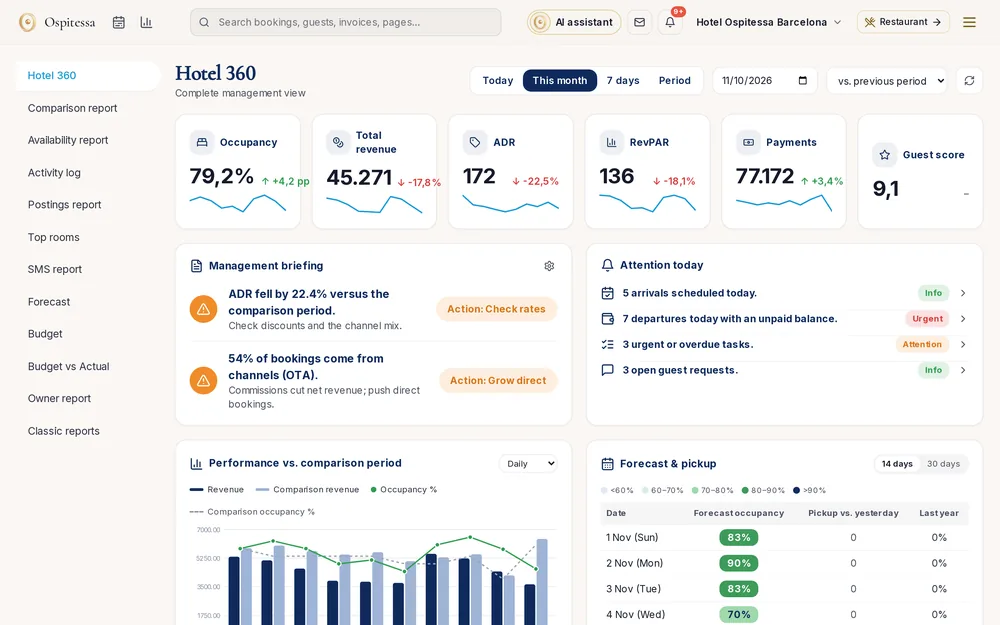 ReportsReports and statisticsHotel 360 with a daily briefing and alerts, rate reports, availability, comparison with last year, revenue postings, top rooms, user log and AI statistics.See the feature

See Ospitessa on your own rooms.
In a 30-minute demo we show you the calendar, the channel manager and the AI receptionist set up for your property.