 ospitessa

 Español
 Italiano
 Deutsch
 Français
 Português
 Ελληνικά
 Hrvatski
 Polski
 Nederlands
 Čeština
 Slovenčina
 Magyar
 Slovenščina
 Shqip
 Български
 Türkçe
 Română ↗ Ospitara
 Austria
 Switzerland
 Belgium
 Ireland
 Malta
 Cyprus
 Montenegro
 Mexico
 Costa Rica
 Dominican Republic
 Panama
 Colombia
 Peru
 Ecuador
 Argentina
 Uruguay
Take a photo of the ID, the card fills itself in
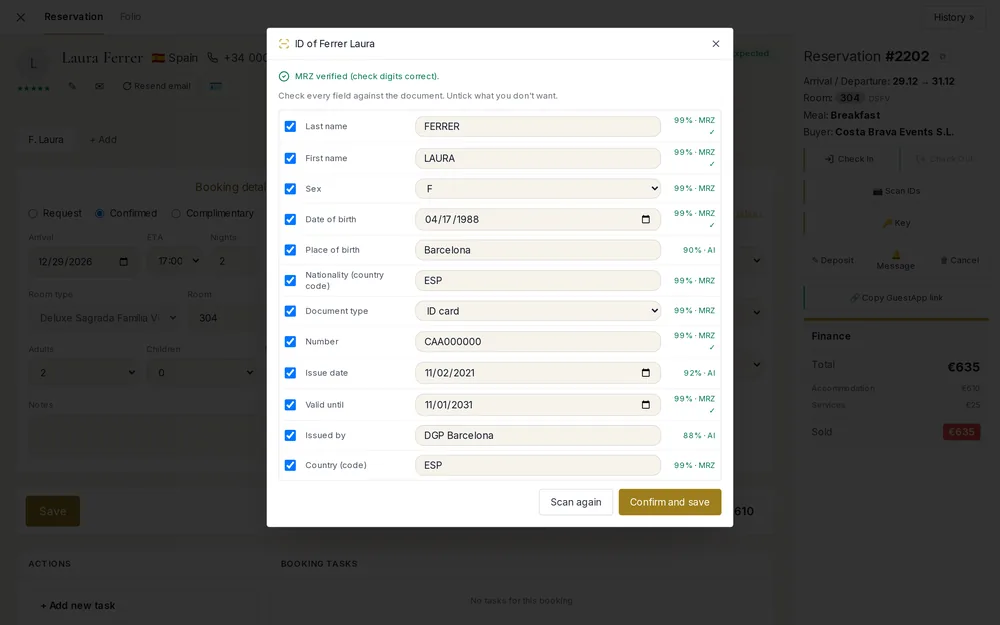
The guest hands over a passport, the receptionist photographs it with a phone and taps “Read document”. In a few seconds the form has the name, document number, nationality, date of birth and expiry date, each with a confidence score next to it.
What is checked
The lines at the bottom of passports and EU ID cards, the MRZ, contain check digits. Ospitessa recalculates them, and fields that pass are marked “MRZ ✓”. An expired document gets a red warning, and at check-in you are asked whether to continue.
Nothing is saved without you
The data that is read only fills in the form. You compare it with the document, untick anything you do not want to keep and only then save. A companion can be added to the booking straight from their own document.
Registration card and police registration
The data goes into the guest profile and onto the printed registration card, with document type and number. Guest registration for the police is prepared for your country's rules; direct submission to national systems is being added country by country.
What happens to the photo
The photo is not kept. If your hotel still wants a copy, you switch it on in the settings: the copy is encrypted and deleted automatically after the number of days you choose. Turning the option off deletes all copies at once.
Questions about ID and passport scanning
Do I need a scanner?
No. It works with the camera of a phone or tablet, in the browser. On a computer you can choose a saved photo.
Can guests scan their own ID?
Yes, if you switch it on: during online check-in on their phone, or at the self check-in tablet. Both are off by default, and the data is only sent when the guest submits the form.
Who reads the document?
The image is read by an AI model, and Ospitessa runs the MRZ checks. A short notice for the guest appears next to the button, and you can add the same text to your hotel's privacy policy.
Related features
 Guests & communicationOnline check-in and guest appGuests check in online, see their room charges, send requests to reception and leave a review, all from one link, in their own language.See the feature
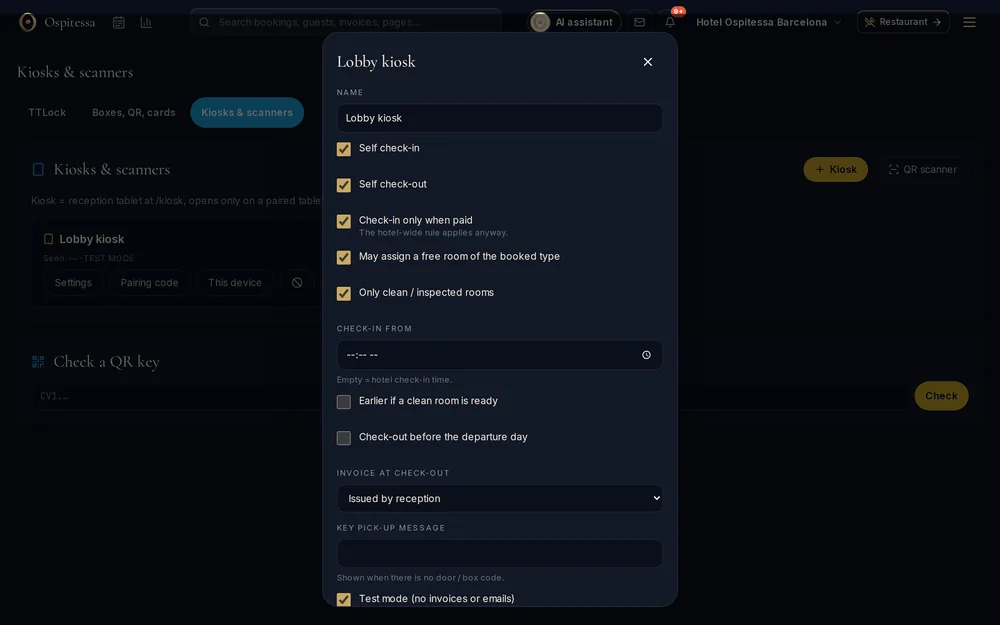 Front desk & bookingsSelf check-in kioskA tablet at reception where guests check themselves in: they find their booking, fill in the registration card, pay and get their door code.See the feature
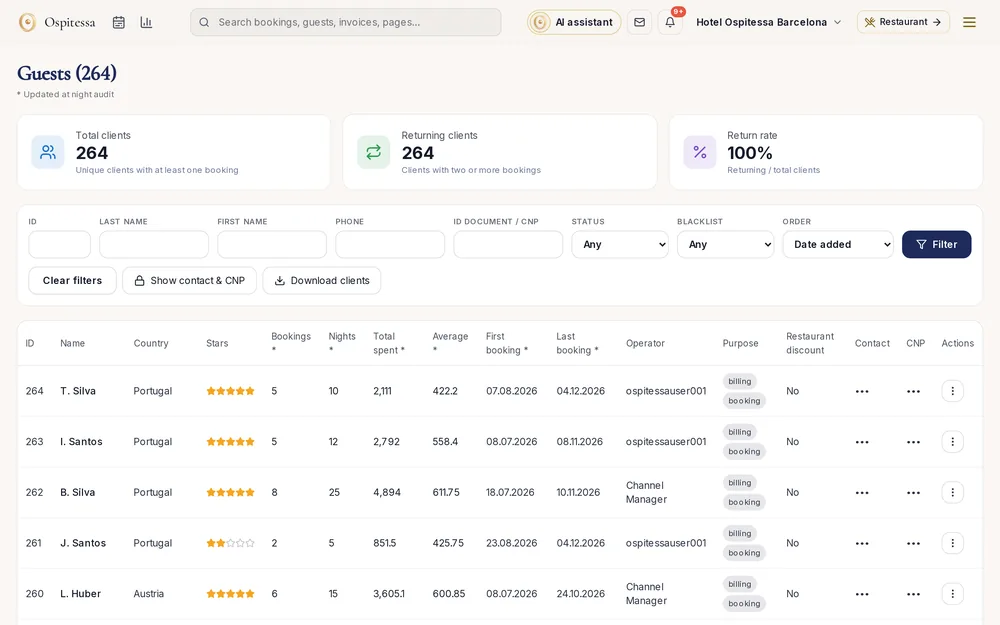 Front desk & bookingsGuests and companiesYour hotel's guest and company database: stay history, preferences, documents and billing details looked up by VAT number through VIES.See the feature

See Ospitessa on your own rooms.
In a 30-minute demo we show you the calendar, the channel manager and the AI receptionist set up for your property.