 ospitessa

 Español
 Italiano
 Deutsch
 Français
 Português
 Ελληνικά
 Hrvatski
 Polski
 Nederlands
 Čeština
 Slovenčina
 Magyar
 Slovenščina
 Shqip
 Български
 Türkçe
 Română ↗ Ospitara
 Austria
 Switzerland
 Belgium
 Ireland
 Malta
 Cyprus
 Montenegro
 Mexico
 Costa Rica
 Dominican Republic
 Panama
 Colombia
 Peru
 Ecuador
 Argentina
 Uruguay
Everyone sees only what they need
The night receptionist, the restaurant manager and the accountant have different rights. In Ospitessa you create your own job roles and tick what each one can do.
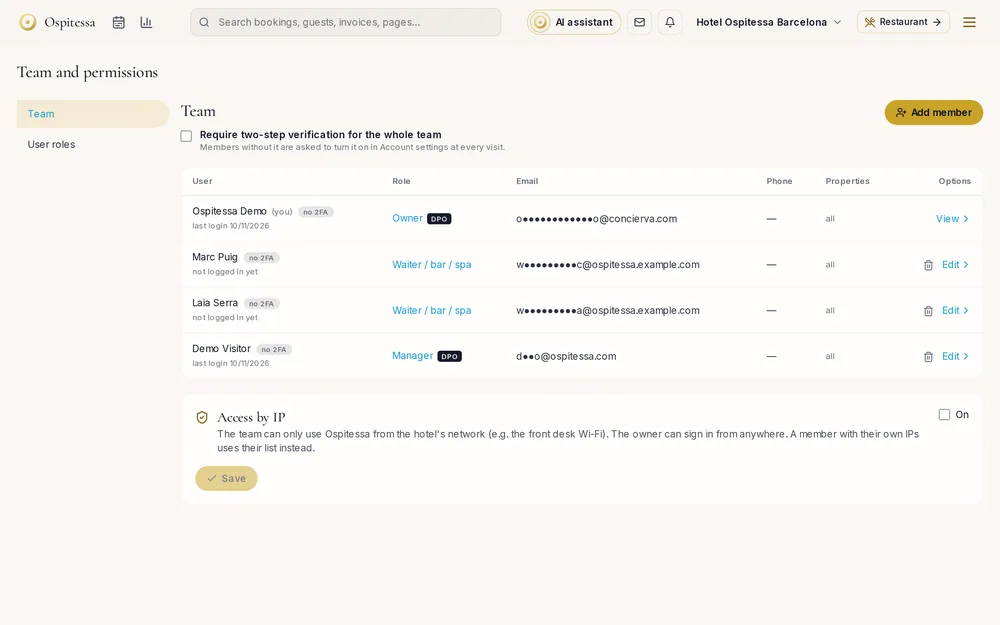
Job roles made by the hotel
"General manager", "Front office manager", "Night receptionist": each job role has a base role and the permissions you tick. When you change a role, it changes for everyone who has it.
Guest data, protected
The GDPR access level decides who sees full personal data. Contact details and ID document numbers are shown only after a password, and exporting contacts also asks for the password.
Controlled access
Two-factor sign-in can be required for the whole team. Access can be limited to the hotel's IP address, and the session closes on its own after a period of inactivity.
Questions about roles, permissions and security
Can the owner be locked out by mistake?
No. The owner always has full rights and is not affected by job role restrictions.
Related features
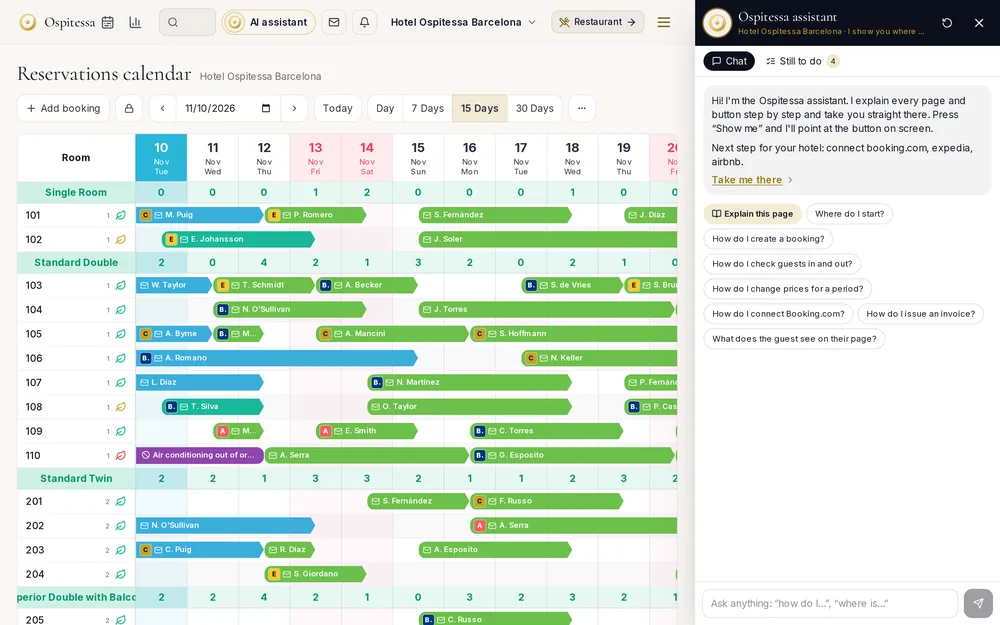 Team, security & appIn-app AI assistantAn AI assistant in the top bar that explains any page, answers "how do I..." and highlights the right button on screen.See the feature
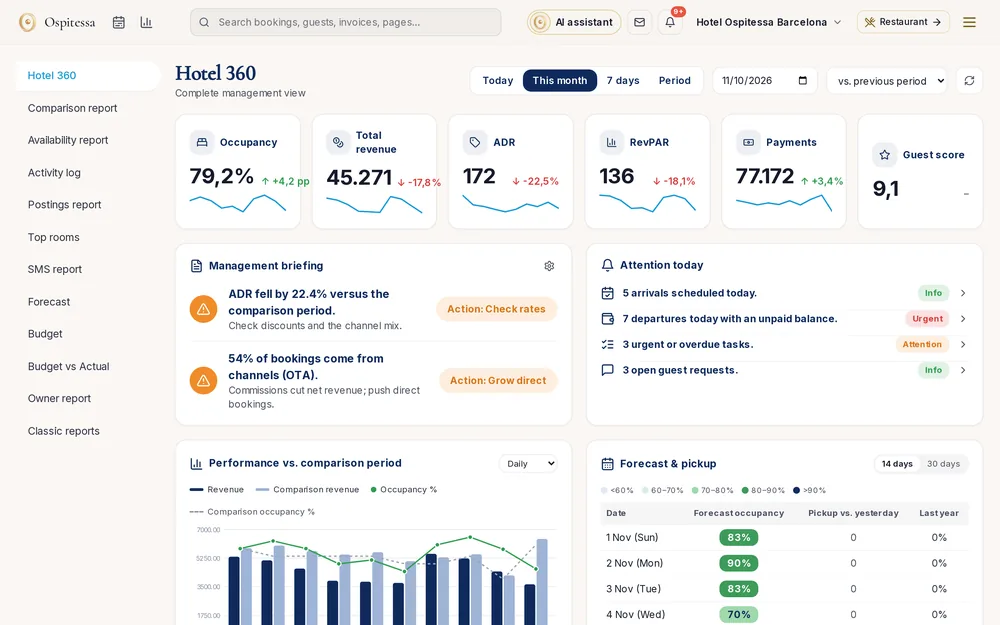 ReportsReports and statisticsHotel 360 with a daily briefing and alerts, rate reports, availability, comparison with last year, revenue postings, top rooms, user log and AI statistics.See the feature
 Front desk & bookingsHotel PMSCloud property management system with a room calendar, check-in, invoices, housekeeping and reports.See the feature

See Ospitessa on your own rooms.
In a 30-minute demo we show you the calendar, the channel manager and the AI receptionist set up for your property.