 ospitessa

 Español
 Italiano
 Deutsch
 Français
 Português
 Ελληνικά
 Hrvatski
 Polski
 Nederlands
 Čeština
 Slovenčina
 Magyar
 Slovenščina
 Shqip
 Български
 Türkçe
 Română ↗ Ospitara
 Austria
 Switzerland
 Belgium
 Ireland
 Malta
 Cyprus
 Montenegro
 Mexico
 Costa Rica
 Dominican Republic
 Panama
 Colombia
 Peru
 Ecuador
 Argentina
 Uruguay
Your hotel restaurant, in the same app.
Tables, kitchen, stock, recipes, QR menu, delivery and reports, linked to your hotel bookings. What the guest orders at dinner goes on their room, and what you sell comes off your stock.
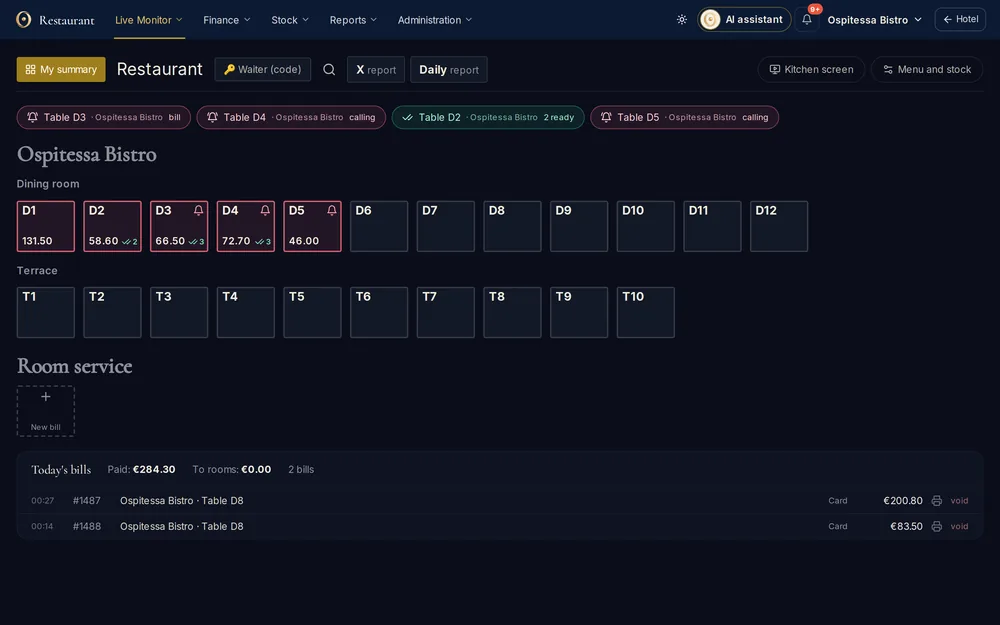
Five menus, like a real restaurant system
The restaurant area has its own bar: Live Monitor, Finance, Stock, Reports and Settings. Same account, same people, different menu.
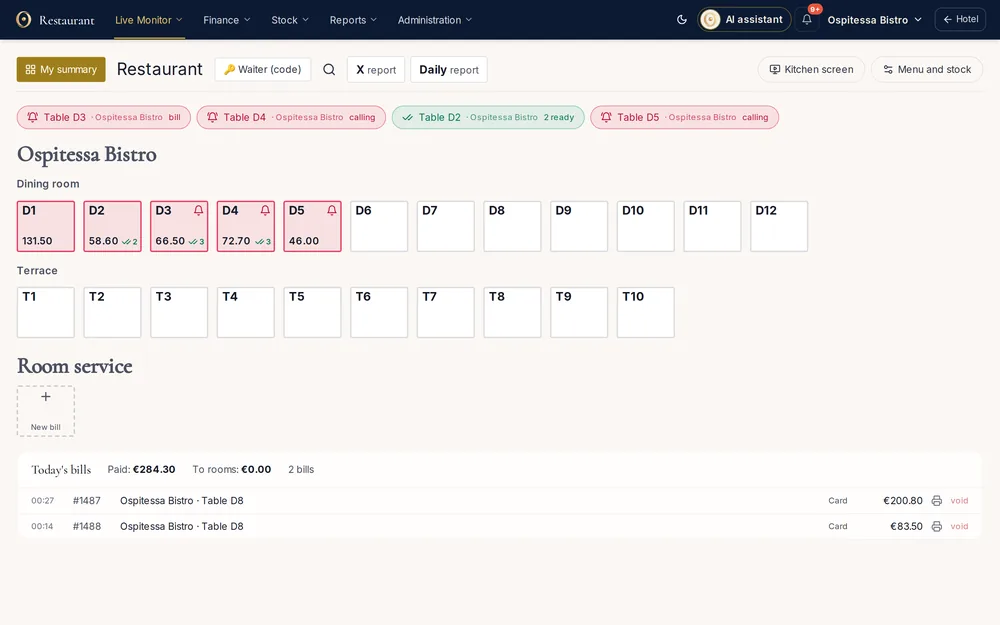
At the table: tables, waiters and bills
Dining rooms, terrace and room service on one screen, with open bills in red. Waiters log in with their own PIN, send courses to the kitchen or bar and hold the main course until it’s time.
- Waiter PIN codes and “My shift”
- Courses held and fired at the right time
- Move items between tables
- Split payment, discount, tips
- Bill to the room, on account, complimentary or breakfast
- 58 or 80 mm receipts and fiscal printers
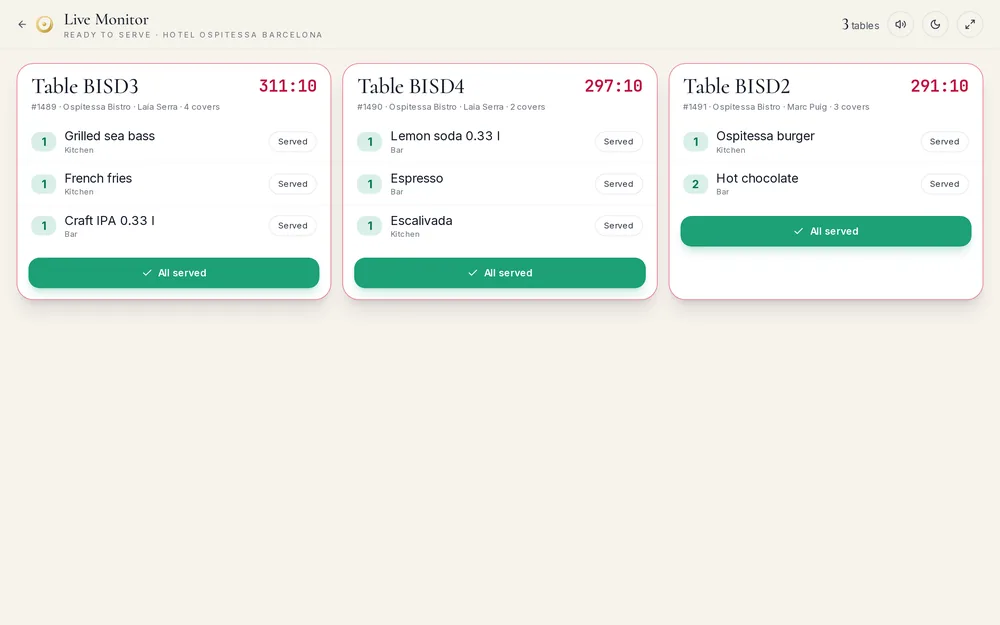
Kitchen and bar on screen
Each station sees its tickets in order, with notes in red and waiting time. When a dish is ready it appears on the Live Monitor and the waiter hears a signal.
- Screens per station: kitchen, bar, extra
- Live Monitor for waiters
- Archive with average preparation time
- Dark theme, good for the kitchen
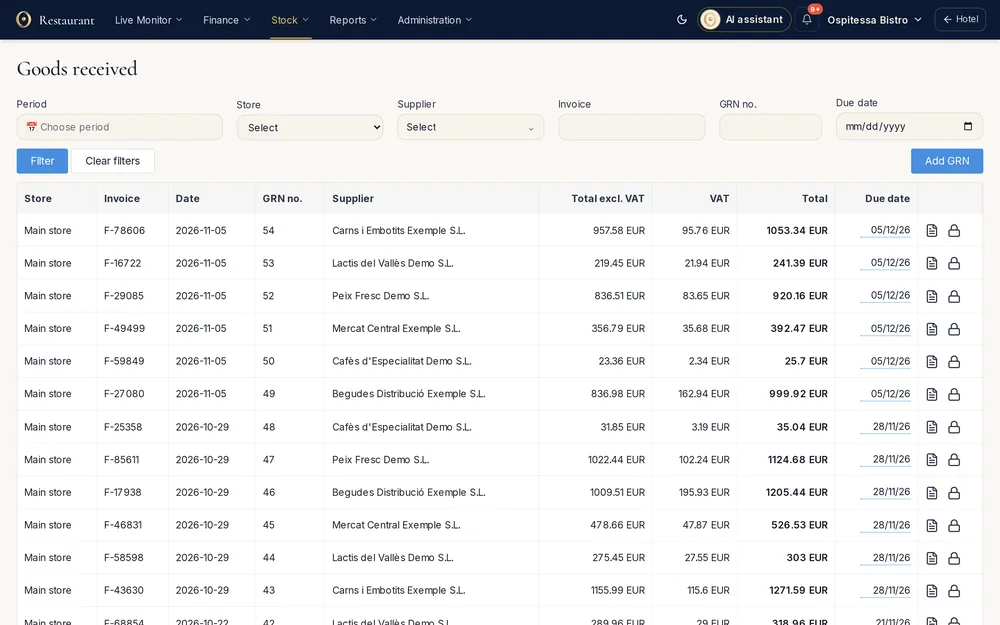
Stock control done properly
Goods come in with a goods received note, straight from the supplier’s XML e-invoice, move to the bar or kitchen with a transfer and go out by recipe. Stock balance and the daily report are ready for your accountant.
- Stock locations per station: store, kitchen, bar
- Goods received, transfers, consumption, stock count
- Goods received note created from a supplier e-invoice
- Balance, daily report, supplier ledger
- SAF-T stock export where your country uses it
Recipes and food cost
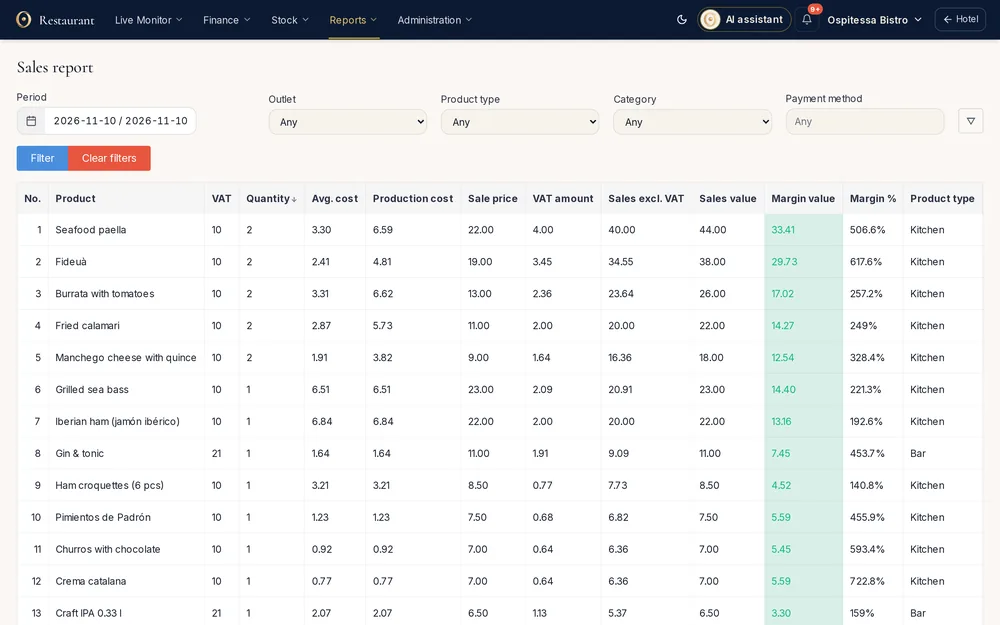
Each dish has its recipe with the cost per portion. Every sale deducts the ingredients from the station’s stock, and the report shows the margin on each product.
- Recipes with automatic stock deduction
- Raw materials with low-stock alerts
- Allergens, portion weights, nutrition values
- Recipe export to Excel
Guests order themselves
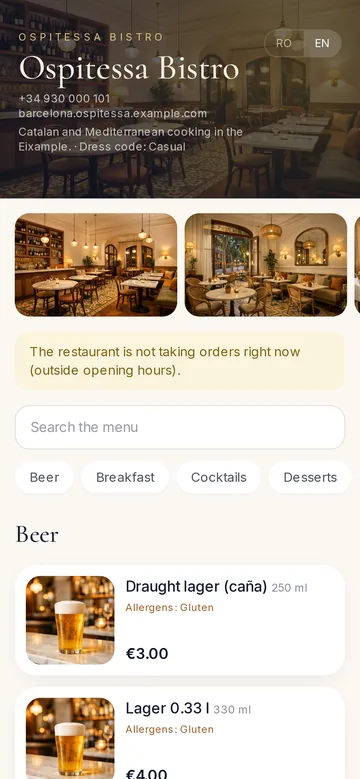
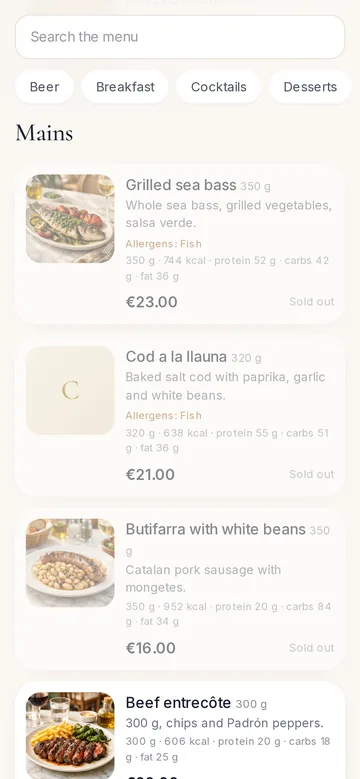
The QR code on the table opens the menu with photos, in the guest’s language. Staying guests order to their room from the Guest App, and locals order on your website, with delivery.
- QR menu with photos, allergens and 7 languages
- Order at the table, call the waiter, ask for the bill
- Room service charged to the room
- Delivery with a status monitor
- Table bookings from the website and the Guest App
Promotions and set menus
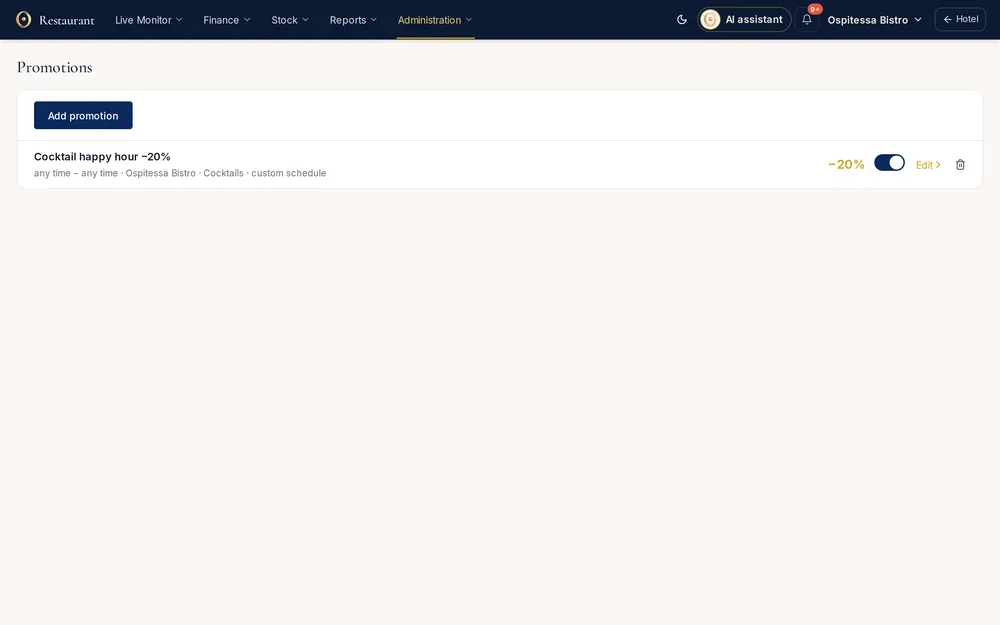
Happy hour on chosen days and hours, delivery-only discounts, a fixed-price menu of the day. The POS and the QR menu apply them on their own.
- Percentage or fixed price
- Schedule by day and hour
- By dining room, room service or delivery
- Set menus with courses to choose from
Reports and closing the day
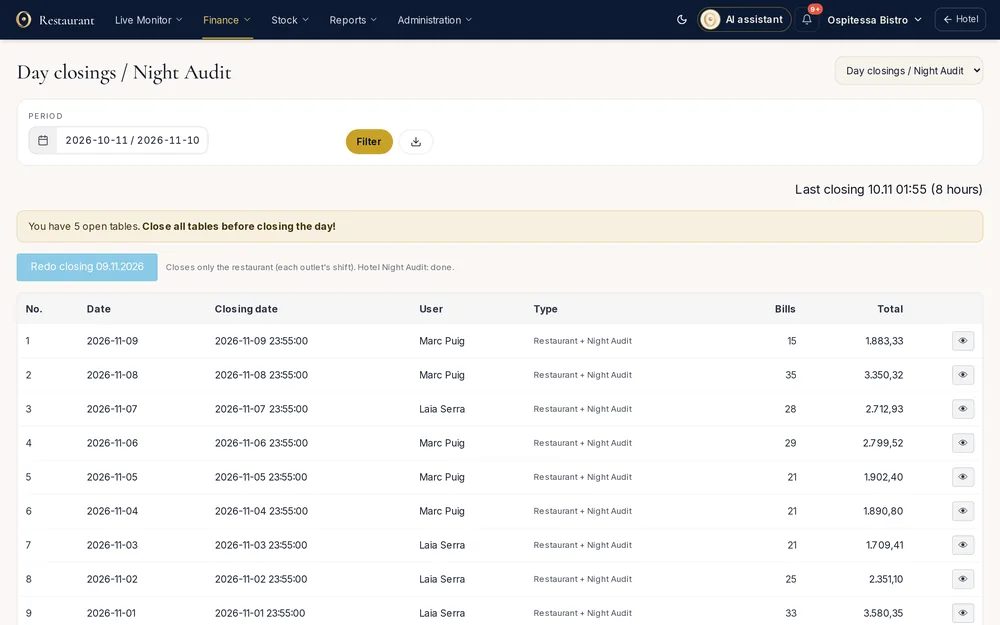
Sales with margin, payments by station and VAT rate, discounts, returns with a reason, tips by waiter. Close the day in the evening and the closing stays on record.
- Sales, payments, bills
- Discounts, returns, deleted bills
- Tips, deliveries, open tables
- Day closings with a check for open tables
- Separate company and invoice series for the restaurant
Restaurant features
Restaurant and bar POSTables by room, orders sent to kitchen and bar, waiter PIN codes, split payment, charge to room, tips, end-of-day closing and each waiter's own summary.See the feature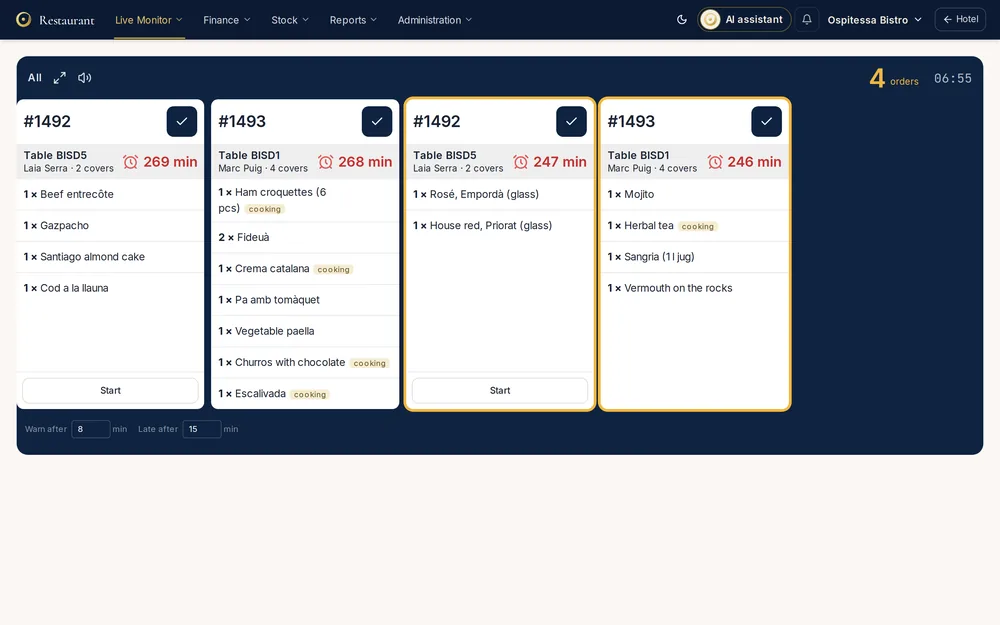 Kitchen displayOrders reach the kitchen screen in the order they were placed, with the waiting time in plain view.See the feature
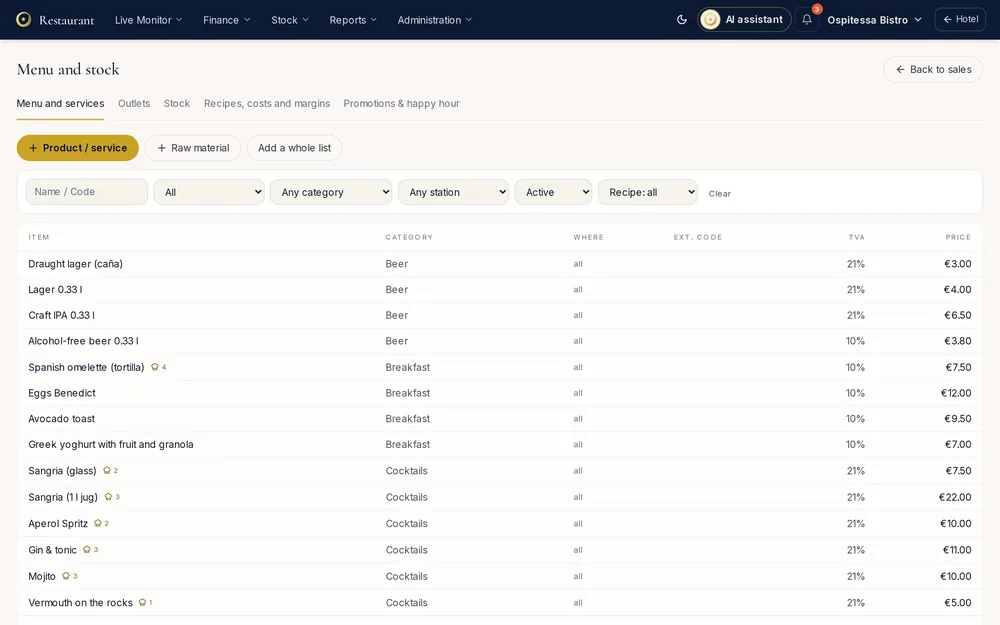 QR code menuA menu on the guest's phone with photos, allergens and translations, opened from the QR code on the table.See the feature
 Room serviceGuests order on their phone, with a photo for each dish.See the feature
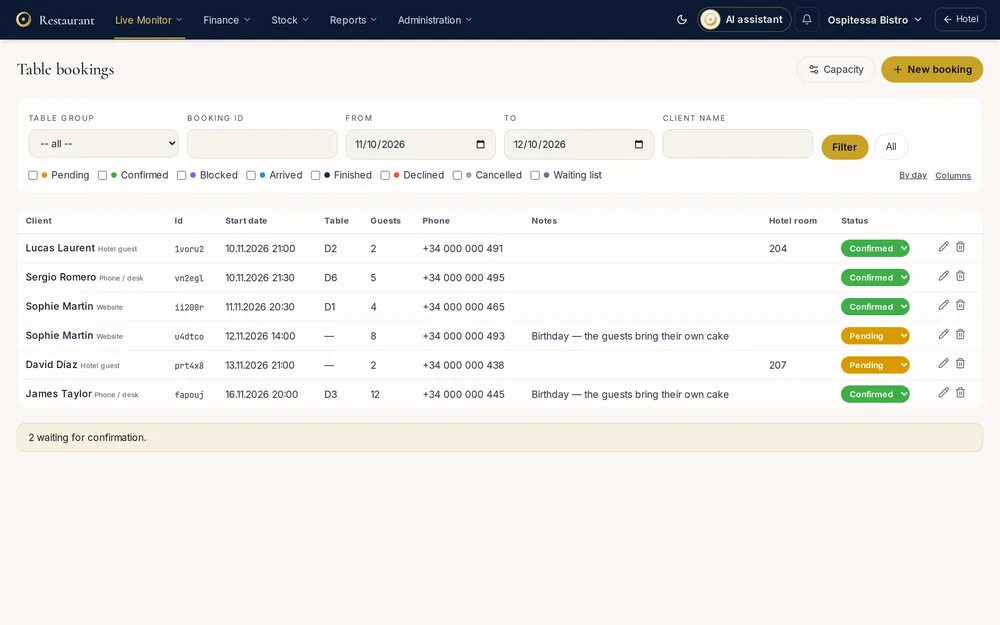 Table reservationsTable bookings from your website and the guest page, with capacity per time slot, a waiting list and a link for the customer to change or cancel.See the featureInventory and stockStock per outlet, goods received notes from supplier XML invoices, transfers, internal use, stock counts, stock balance, a daily stock report and SAF-T export.See the feature
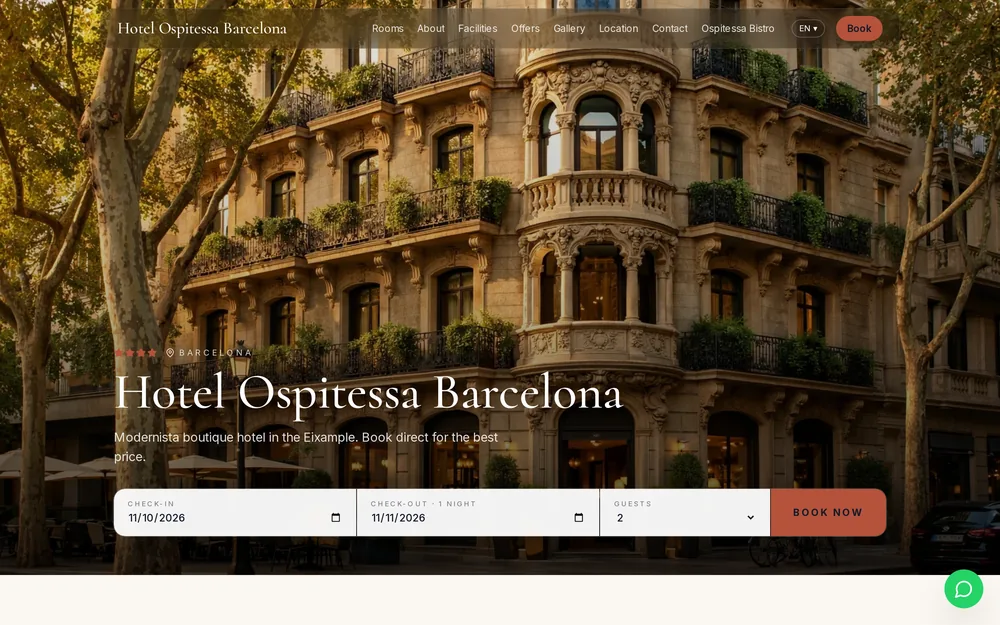 Delivery and online ordersAn ordering page for your restaurant, with online payment or cash on delivery, a delivery monitor by status and a report per delivery partner.See the feature
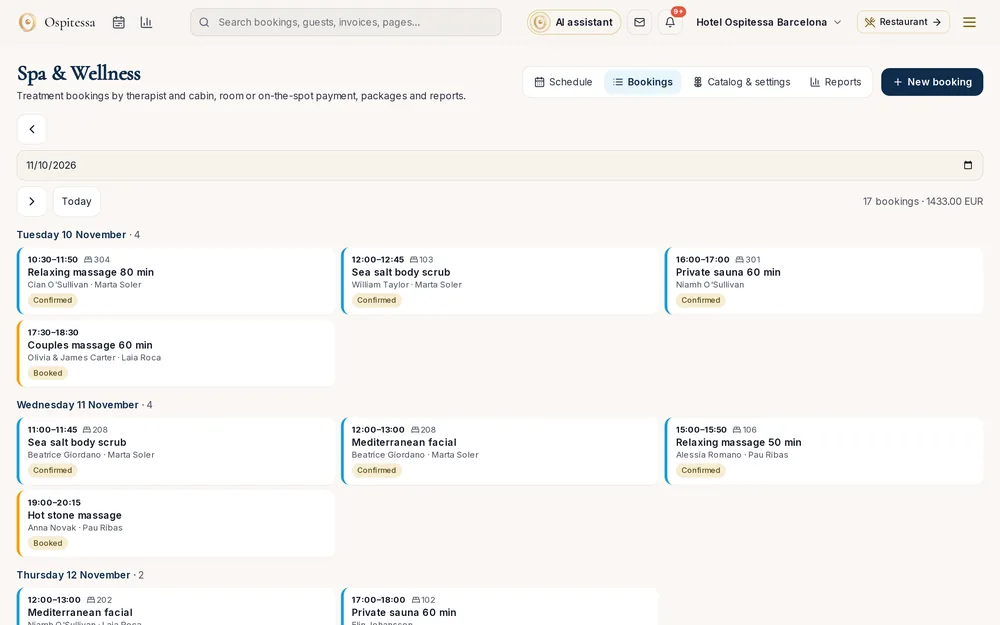 Experiences, spa and facilitiesTreatments and packages, therapists with schedules, treatment rooms, an hourly agenda, bookings from the guest's phone, charges to the room and reminders.See the featureRecipes and food costA recipe for each dish with automatic stock deduction, raw ingredients, cost per portion, margin in the sales report, allergens and recipe export.See the featureRestaurant reportsSales per item with margin, takings by outlet and VAT rate, discounts, returns and voided bills, breakfast, open tables, tips, deliveries and day closings.See the featurePromotions and set menusPercentage or fixed-price promotions scheduled by day and hour, for the dining room, rooms or delivery, plus set menus such as the menu of the day.See the feature
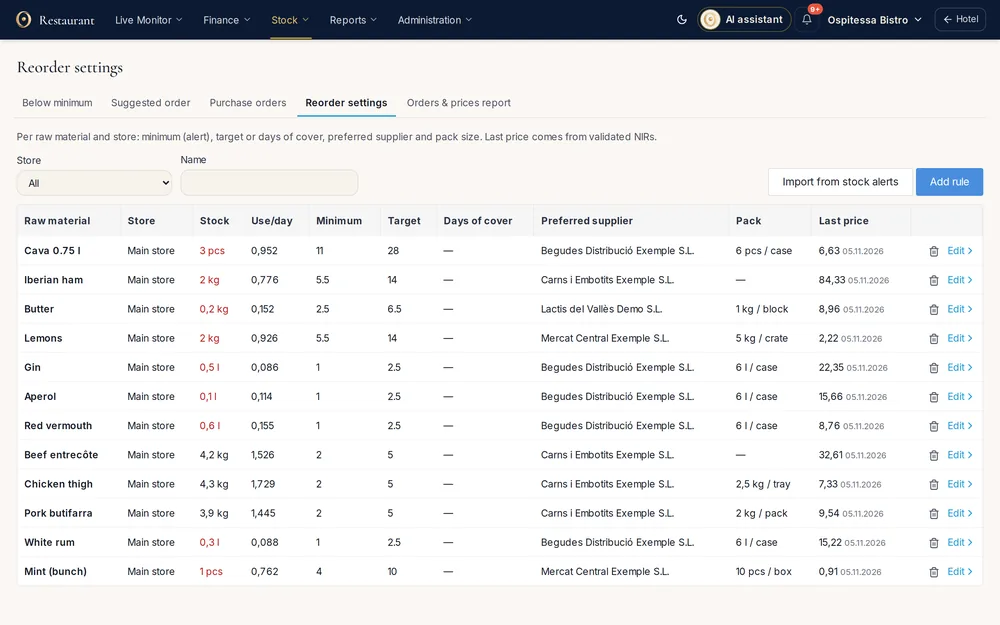 Minimum stock and supplier ordersAlerts at minimum stock, suggested orders based on usage and on bookings with meals, purchase orders to suppliers and goods received straight into stock.See the feature
Questions about restaurant
Can the restaurant be used without the hotel?
The restaurant is part of the same account as the hotel and uses the same data. If you only run a restaurant, talk to us during the demo.
Can the hotel and the restaurant be different companies?
Yes. Invoices from the POS can use the restaurant’s company and invoice series, and accommodation invoices the hotel’s.
Do I need a special printer?
Receipts and bills print on 58 or 80 mm thermal printers, through a small bridge app on a computer or straight from the browser. Fiscal printers depend on your country: see country by country.
How does the bill reach the guest’s invoice?
The waiter closes the bill “to room”. The amount appears in the booking folio and goes on the invoice at departure.

See the restaurant with open tables.
The demo has a restaurant with open bills, kitchen, stock and reports. Walk in without an account or book a guided demo.