 ospitessa

 Español
 Italiano
 Deutsch
 Français
 Português
 Ελληνικά
 Hrvatski
 Polski
 Nederlands
 Čeština
 Slovenčina
 Magyar
 Slovenščina
 Shqip
 Български
 Türkçe
 Română ↗ Ospitara
 Austria
 Switzerland
 Belgium
 Ireland
 Malta
 Cyprus
 Montenegro
 Mexico
 Costa Rica
 Dominican Republic
 Panama
 Colombia
 Peru
 Ecuador
 Argentina
 Uruguay
Check-in on a tablet, at any hour
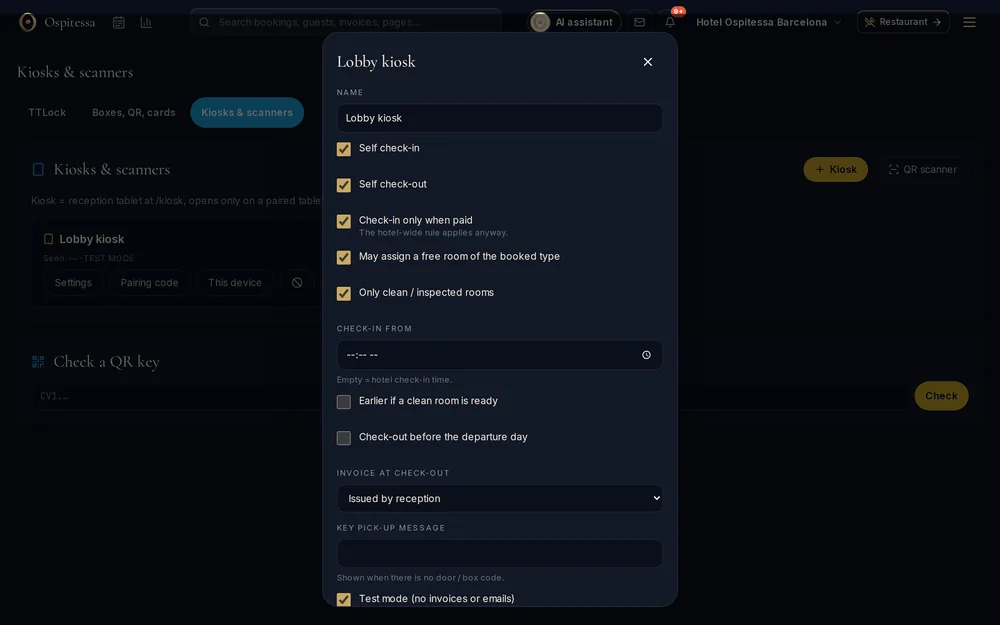
The guest arrives at 23:30 and the front desk is closed. On the tablet by the entrance they find their booking, fill in the registration card, pay the balance and get their room number and door code.
Finding the booking
With the booking number and surname, or by scanning the QR code from their guest page. The tablet shows the dates, the room and what is left to pay.
Registration card and payment
The registration card is the same as for online check-in, with GDPR consent and signature. The guest pays by card on the tablet or by scanning a QR code with their phone.
The key
At the end, the tablet shows the room and the code for the door or key box, following your rules: only after payment, only if the room is clean, only from a certain time.
The tablet is only a kiosk
You pair it with a code from your dashboard and can remove it at any time. After a minute without use it returns to the start screen. It cannot open anything else in the system.
Questions about self check-in kiosk
What tablet do I need?
Any tablet with a browser. We recommend locking it to the kiosk in its own settings (screen pinning on Android, Guided Access on iPad).
Can I turn off check-out on the tablet?
Yes. Each tablet has its own settings: check-in only, check-out only, or both.
Related features
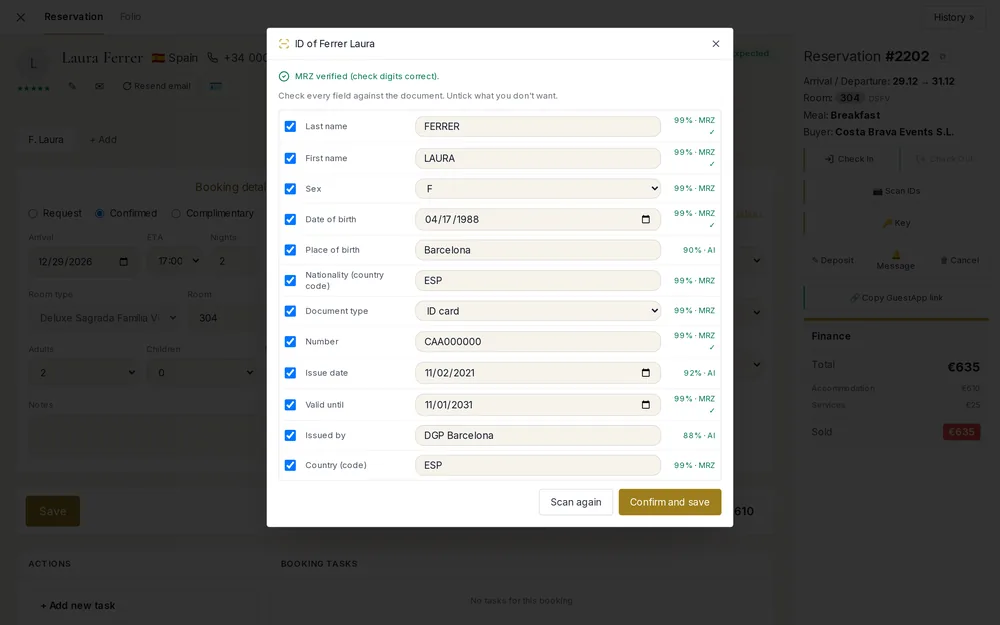 Front desk & bookingsID and passport scanningPhotograph a passport, EU ID card or driving licence and the registration card fills itself in.See the feature
 Guests & communicationOnline check-in and guest appGuests check in online, see their room charges, send requests to reception and leave a review, all from one link, in their own language.See the feature
 Guests & communicationSmart locksTTLock codes created with each booking, key boxes for physical keys and QR keys.See the featureGuests & communicationContactless stayFrom booking to departure, guests handle their own stay: online or kiosk check-in, door code, requests and room service on their phone, express check-out.See the feature

See Ospitessa on your own rooms.
In a 30-minute demo we show you the calendar, the channel manager and the AI receptionist set up for your property.