 ospitessa

 Español
 Italiano
 Deutsch
 Français
 Português
 Ελληνικά
 Hrvatski
 Polski
 Nederlands
 Čeština
 Slovenčina
 Magyar
 Slovenščina
 Shqip
 Български
 Türkçe
 Română ↗ Ospitara
 Austria
 Switzerland
 Belgium
 Ireland
 Malta
 Cyprus
 Montenegro
 Mexico
 Costa Rica
 Dominican Republic
 Panama
 Colombia
 Peru
 Ecuador
 Argentina
 Uruguay
Upselling: the guest chooses, the front desk approves
Five days before arrival, the family who booked a standard double sees on their phone that they can move to a Superior Double for 25 EUR a night. They tap Add, and the request goes to the front desk.
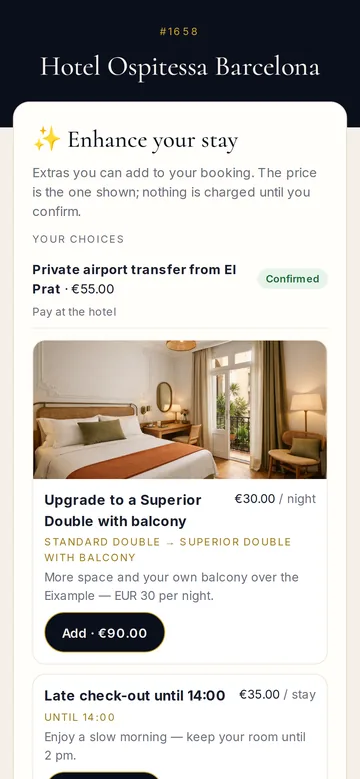
Only what you can really offer
An upgrade only appears if the new room type has a free room for every night and fits all the guests. Early check-in only appears when the room is also free the night before. Breakfast is not offered to guests who already have it, and a declined offer does not come back for the same booking.
The front desk has the final say
Manual approval is ticked on every offer. When you press Approve, Ospitessa checks availability again. If the room has sold in the meantime, the request becomes “Unavailable” and the booking stays as it was. If it is free, the room type or the arrival and departure times change, and the amount appears on the folio and in the booking history.
Where guests see the offers
In the guest app, on the first page under “Make your stay better”, and on a separate page whose link can go out in a message a few days before arrival. That message is off until you switch it on. Offers have a photo and text in 9 languages; AI can fill in missing languages, and you check them before saving.
Payment and figures
If you have Stripe connected, the guest can pay from the same page after approval. Otherwise the amount is paid at the hotel with the rest of the bill. The “Upsell revenue” report shows requests, those applied and revenue for each type of offer.
Questions about pre-arrival upselling
Is an upgrade applied automatically?
Only if you untick manual approval for that offer. Otherwise each request waits for the Approve button.
Does it work for Booking.com bookings?
Yes. The upgrade changes the room in Ospitessa and sends updated availability for both room types to the channels. On the platform, the booking keeps the room type originally sold.
Will guests get messages we did not want?
No. The pre-arrival offers message is off until you switch it on in Automated messages. Once on, it is sent only once, and only if the booking has suitable offers.
Related features
 Guests & communicationOnline check-in and guest appGuests check in online, see their room charges, send requests to reception and leave a review, all from one link, in their own language.See the feature
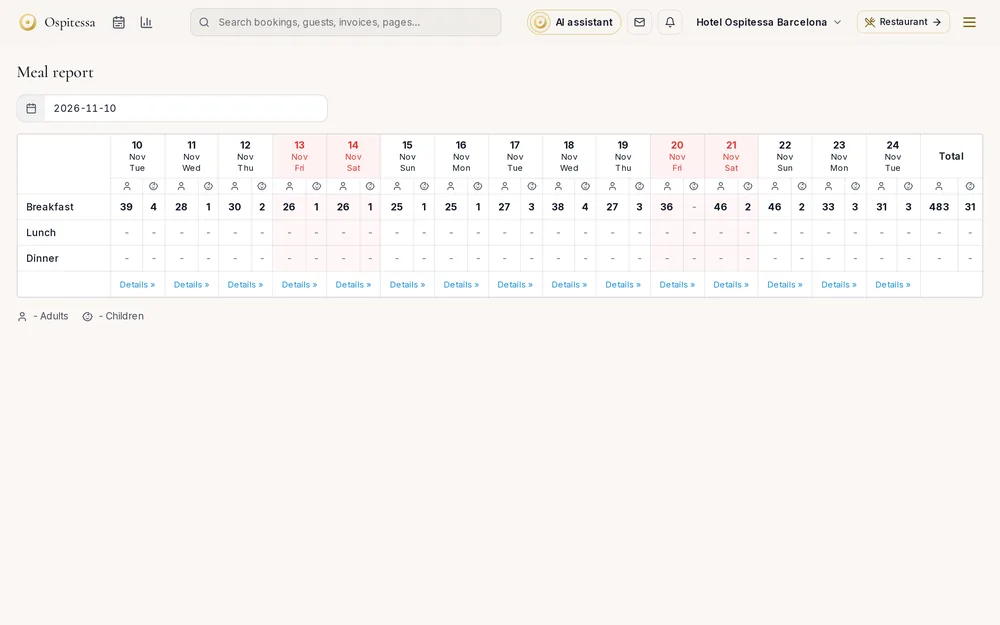 OperationsBreakfast, parking and extrasHow many breakfasts to serve tomorrow, which parking space each guest has, and extras sold on the booking: transfers, packages, spa.See the feature
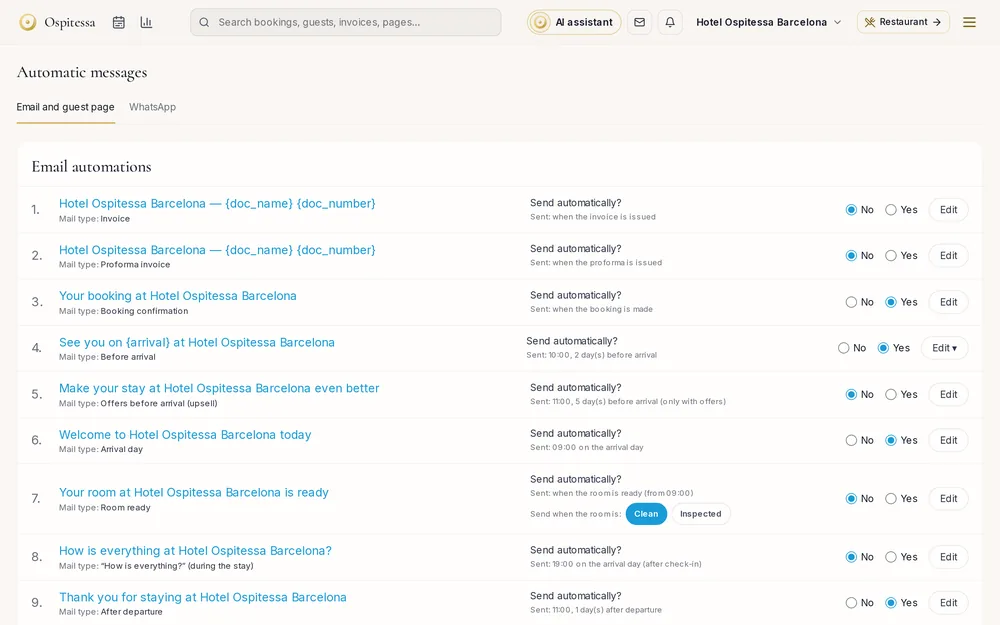 Guests & communicationAutomated guest messagesConfirmation, pre-arrival with online check-in, arrival day, post-stay thank-you, payment received, changes and cancellations, by email and WhatsApp.See the feature

See Ospitessa on your own rooms.
In a 30-minute demo we show you the calendar, the channel manager and the AI receptionist set up for your property.