 ospitessa

 Español
 Italiano
 Deutsch
 Français
 Português
 Ελληνικά
 Hrvatski
 Polski
 Nederlands
 Čeština
 Slovenčina
 Magyar
 Slovenščina
 Shqip
 Български
 Türkçe
 Română ↗ Ospitara
 Austria
 Switzerland
 Belgium
 Ireland
 Malta
 Cyprus
 Montenegro
 Mexico
 Costa Rica
 Dominican Republic
 Panama
 Colombia
 Peru
 Ecuador
 Argentina
 Uruguay
Reviews, from “How is everything?” to the public reply
On the second evening of the stay, the guest is asked “How is everything?”. If they give a 2 and write that the air conditioning is noisy, the front desk has an urgent task while they are still in the room.
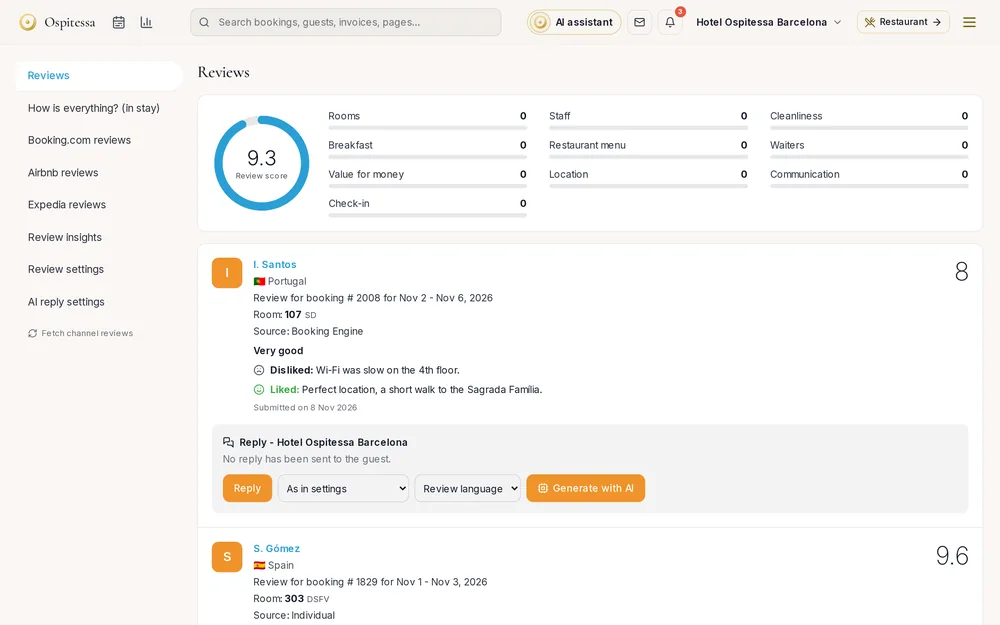
Find out while the guest is still here
The “How is everything?” message goes out at the time you choose, on arrival day or a later day. The guest gives a score from 1 to 5 and can write what is wrong. A score below your threshold creates an urgent task for the front desk and a notification for managers. The message is off until you switch it on.
A review invitation for everyone
After departure, guests give their opinion on their own page. Every guest sees the links to Google or Tripadvisor, whatever their score. We do not filter who is sent to the platforms, because Google's rules forbid it.
The message after a low score
A weak review shows a “Contact the guest” banner. You write what you did or what you are offering, and the AI writes a personal message that you correct and send by email. Nothing goes out on its own, and the AI does not promise discounts you did not write.
Public replies and monthly themes
Reviews from the guest page, Booking.com and Airbnb sit in one place. For each one you can ask for a draft reply, choosing the tone and language. The analysis shows your score by month, which criteria go up or down and which rooms or staff are mentioned, and on request the AI sums up what guests like and what bothers them.
Questions about reviews
Are replies published automatically?
No. You read and approve the drafts before they are published.
Do you only ask happy guests for reviews?
No. The invitation and platform links are shown to every guest, whatever their score. A low score only helps you react quickly.
Is “How is everything?” sent automatically?
Only after you switch it on in Automated messages and choose the day and time.
Related features
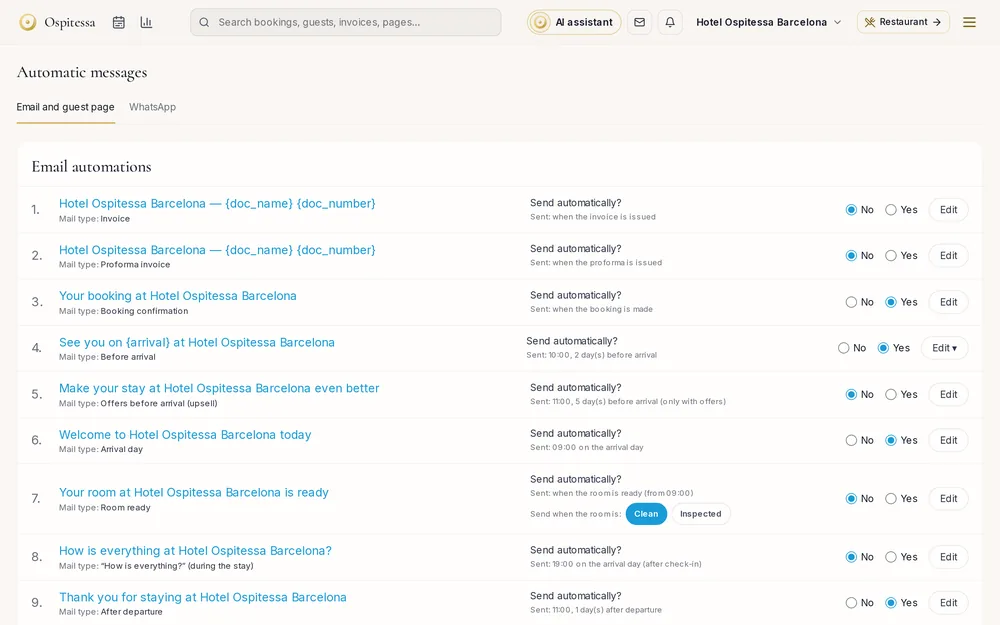 Guests & communicationAutomated guest messagesConfirmation, pre-arrival with online check-in, arrival day, post-stay thank-you, payment received, changes and cancellations, by email and WhatsApp.See the feature
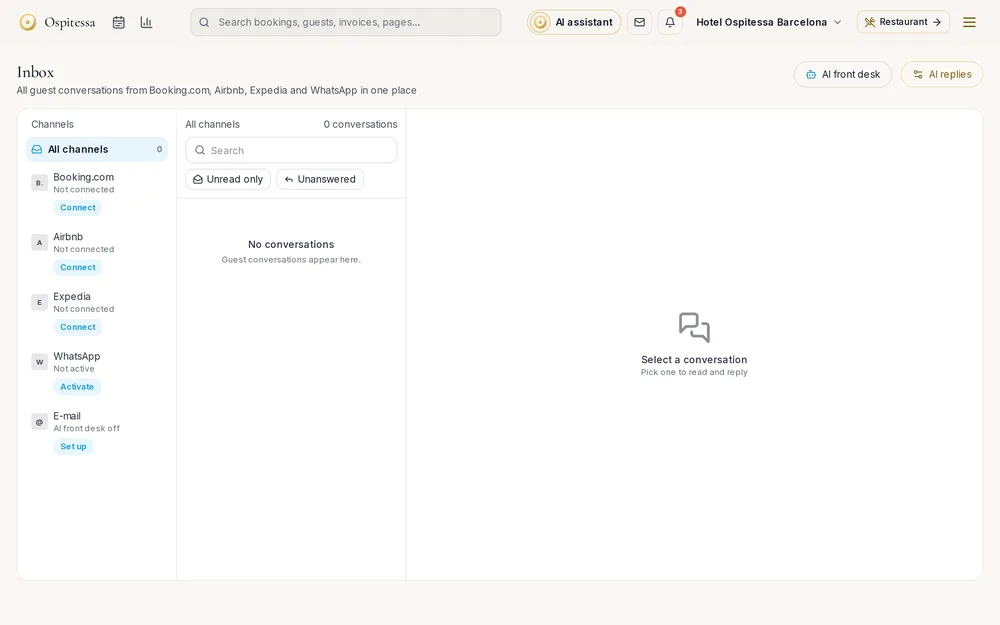 Guests & communicationUnified inboxMessages from Booking.com, Airbnb, WhatsApp, your website chat and email in one inbox, with replies drafted by AI.See the feature
 OperationsTasks and maintenanceEach task goes to the right department with a priority and a deadline.See the feature

See Ospitessa on your own rooms.
In a 30-minute demo we show you the calendar, the channel manager and the AI receptionist set up for your property.